aucun avatar
  • connexion

Ma galerie

  • Tags
  • Panier
  • Contact
Parcourir :
Recherche :

Outils

Outils

  • Lancer un diaporama
  • Outils de vignettes
  • Tout sélectionner
  • Action sur la sélection

Action sur la sélection

0 image sélectionnée

Pour la sélection :

Les 41 images de la galerie liées au tag creative
page 1|3
<< <
> >>
abstract background for design
Depositphotos 142823909 s-2015
Depositphotos 198518520 s-2015
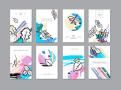
Set of creative universal floral cards in trendy style with Hand Drawn textures.
Vector creative grunge background
Low polygon heart shape. Love sign. Vector illustration.
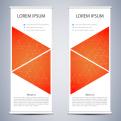
Abstract Roll up banner for presentation and publication. Science, technology and business templates. Square linear digital texture, technological and scientific concept, vector illustration.
Watercolor balls. Abstract image of the planets. Vector illustration
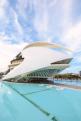
City of the Arts and Sciences, Valencia.
Business card with yarn ball in cartoon style
Design template with circles style. Use for Leaflet cover presentation, Banners, Placards, Posters, Flyers.
Depositphotos 151237990 s-2015
washbasin in the bathroom
Print
Depositphotos 145935055 s-2015
Young photographer adjusting settings on his camera. Preparing for photo shooting.
Vector uppercase alphabet 5
Vintage seamless pattern with cute little birds. Vector seamless texture for wallpapers, pattern fills, web page backgrounds


Mes liens

  • Les Gîtes de Bellevue
  • On The Road
  • Mon pense-bête
  • isBeta

Tags

  • architecture
  • art
  • background
  • beautiful
  • design
  • illustration
  • modern
  • nature
  • people
  • style
  • summer
  • travel
  • vector
  • white
  • young

tous les tags

propulsé par iGalerie - icônes : Yusuke Kamiyamane

Options


Navigation au clavier :

  • Espace : démarre ou arrête la lecture automatique.
  • Moins (pavé num.) : diminue la durée d'affichage en lecture automatique.
  • Plus (pavé num.) : augmente la durée d'affichage en lecture automatique.
  • Point (pavé num.) : switch taille réelle / taille redimensionnée.
  • Flèche gauche : image précédente.
  • Flèche droite : image suivante.
  • Début : première image.
  • Fin : dernière image.
  • Page précédente : page de carrousel précédente.
  • Page suivante : page de carrousel suivante.
  • Echap : ferme le diaporama.

Informations